How to fix anything IT, DIY, School, Hobbies and Interests
Home of How to Fix
HowToFixAnything shows you to do the simplest of tasks with very basic instruction
FOR EXAMPLE
How do I make my Windows Desktop show a favourite photograph or picture?
EASY – Here’s How
Click on Pictures
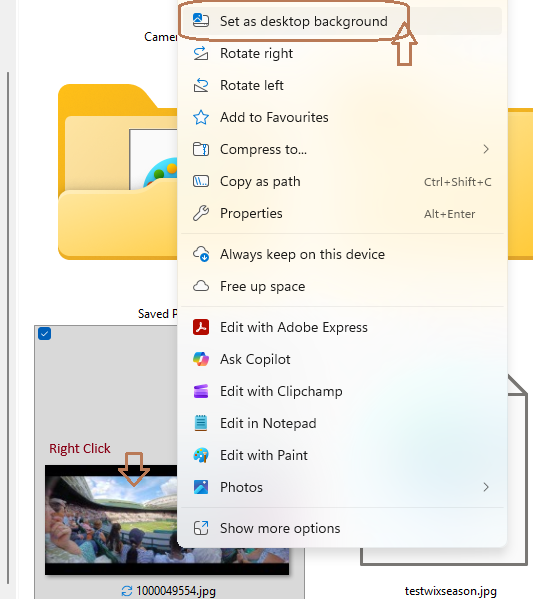
Once you can see a picture you would like to use, right click on it
Click “Set as desktop background”
THAT’S IT – DONE
N.B. You can use this Right Click method to do the same with any picture on the Internet……Try It!!
However, please do not use pictures, graphics, logos etc. which you can download from the internet without checking first whether they are subject to copyright